A take-off gives you quantities — so many metres of wall, so many square metres of floor. But quantities aren't money. The thing that turns a quantity into a price is an assembly (Corbel also calls it a recipe). This guide explains what an assembly is, where your rates live, and how a measured take-off becomes a priced ASAQS bill of quantities.
What is an assembly?
An assembly is a recipe for one unit of work. It breaks a single unit down into the priced components that unit actually implies. For example, one square metre of brickwork isn't one thing you buy — it's bricks, mortar and bricklayer's labour, each in its own quantity, each with its own rate.
So a "230mm brick wall" assembly might read, per m²:
- bricks — a number per m², at a rate each
- mortar — a volume per m², at a rate per m³
- labour — an allowance per m², at an hourly or unit rate
Multiply the recipe by the quantity you measured, and you have a price. That's the whole idea: quantity × assembly = a priced line.
The rate library
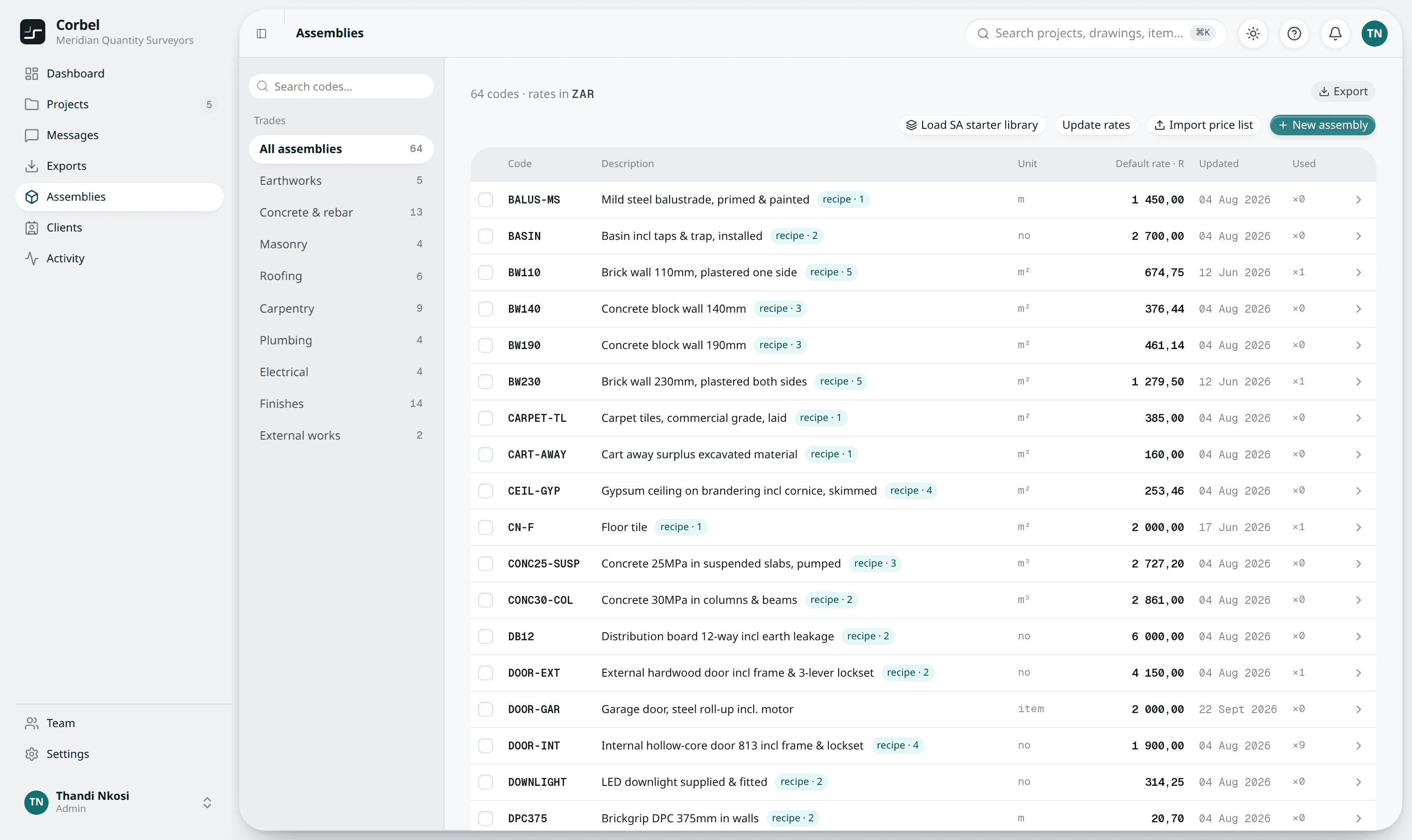
Your assemblies live under Assemblies— your rate library. You don't have to build it from scratch:
- Load the SA starter library — a set of common South African assemblies to get you pricing immediately.
- Import a price list — bring in the rates your firm already uses.
- Build your own — create recipes for the way you actually work.
This is the one part of Corbel worth setting up ahead of time — but it isn't required to start measuring. You can take off a whole drawing first and add the pricing later.
Linking a recipe to a Condition
Assemblies attach to your work through Conditions. A Condition — say "230mm external wall" — carries a colour and its dimensions. Pricing happens on the Materials tab: each Condition becomes a ready line there, carrying a recipe from your rate library. Measuring and pricing stay separate, so the drawing canvas never asks you for a rate.
From quantities to priced lines
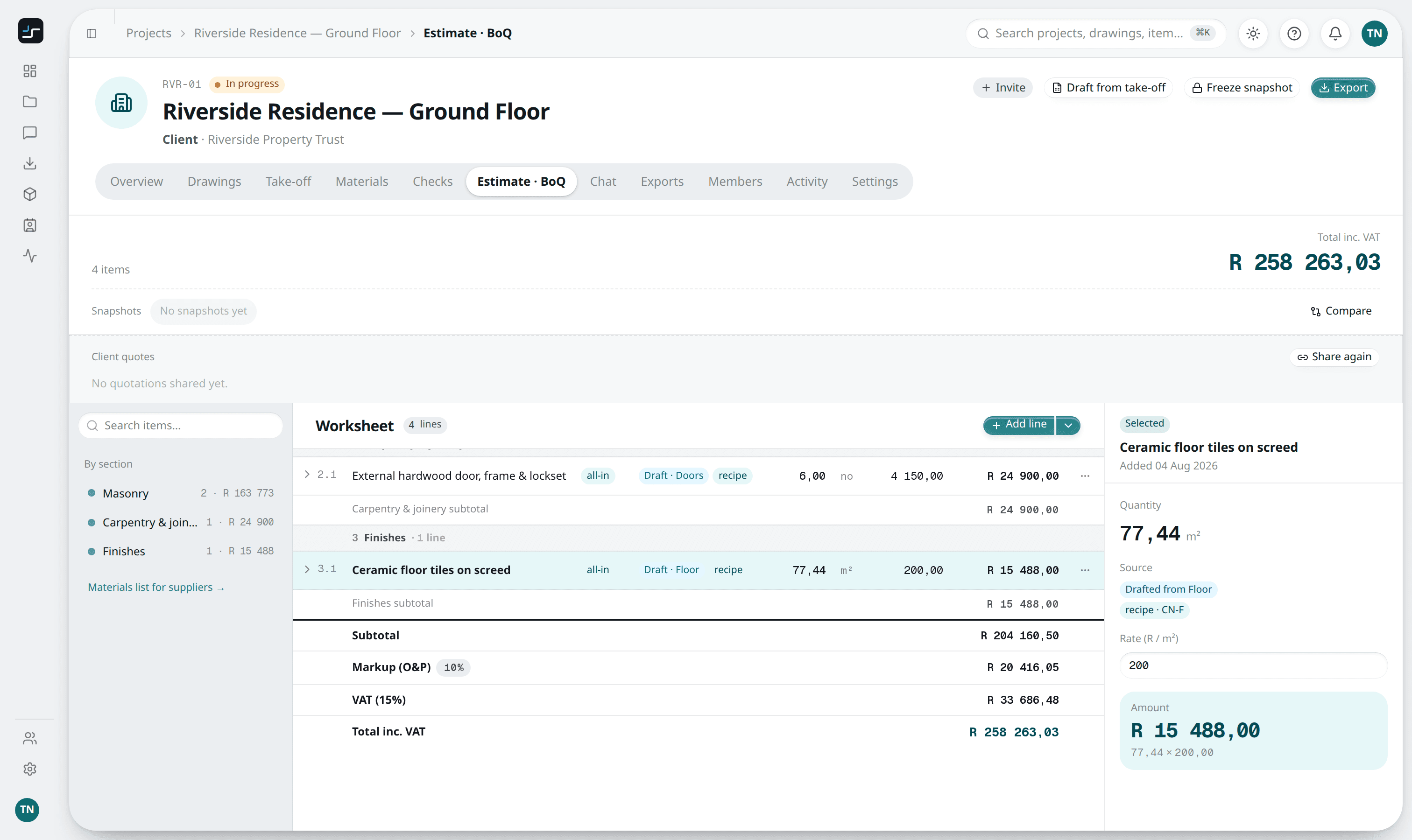
Once your lines carry recipes, Draft BoQ builds the bill in one confirm-first step. Each quantity explodes through its assembly into priced components, openings deduct on the ASAQS net-wall convention, and the results collect into the Estimate · BoQtab as ASAQS sections — preliminaries, measured work, and so on. Add your markup and VAT, in rands, and you have a priced bill. When it's ready, freeze a snapshot to lock that version, then export.
Keeping rates current
Because rates live in one place, keeping them current is a single job: update a recipe or a component rate in the library, and the ready lines on Materials that use it pick up the new rate. Lines already drafted into a bill keep the rate they were drafted with — numbers in a bill never change behind your back — so you decide when to update them. That's the payoff of separating what you measured (the take-off) from what it costs (the assemblies): you can re-rate without touching a single measurement.
New to the pricing side? Start with The ASAQS bill of quantities, explained, or see how measuring feeds it in How to do a take-off from a PDF drawing.